However much you talk,the plan stays one.
A board AI writes to.Instead of a fresh summary every conversation,it accumulates into a single plan.
Talk all you like — the plan piles up in one place.
The board is not another place for you to write. It is where what gets written arrives.
You talk to your AI
In the app you already use. Your AI reads the board as it goes.
Your AI writes here
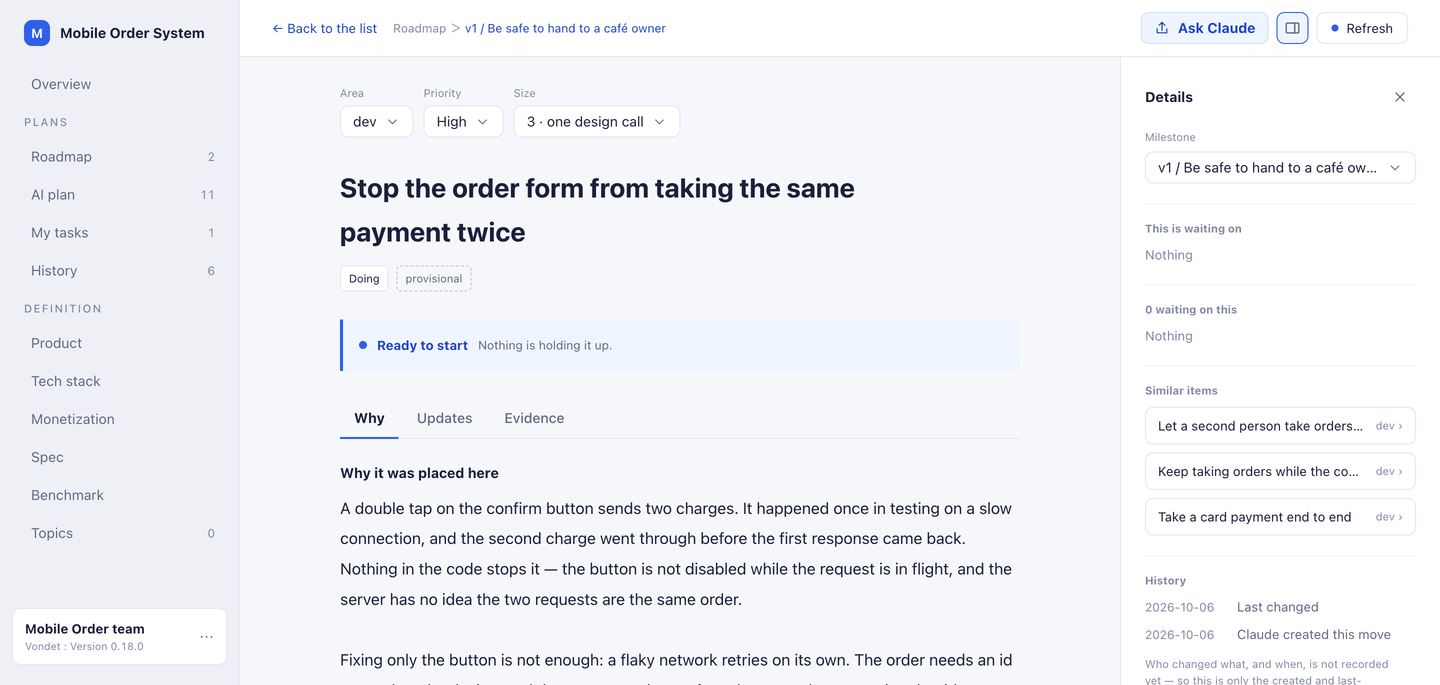
Goals, moves, reasoning, and what would reverse them.
Open it only when you want to
You don't have to come here — the conversation picks up from the plan. Open it to see what's decided and how far it got. To change anything, just tell your AI.
Register a connection in the app you use.
For a repository, issue a board token and register it in Claude Code. For the Claude app you talk things through in, use Connect with permission — no token needed. Register it in either claude.ai or the desktop app, and it works in both.
It connects over MCP — the shared method AI uses for outside tools.

We recommend Claude Code. Connections from Claude Code and the Claude app (claude.ai and desktop) are the ones we have tested end to end.
There is no box for writing a plan from scratch.
No chat panel, no ticket form. You correct; the AI does the writing.
“Fix the double charge on the order form, and put it in the plan.”
WHERE YOU ACTUALLY SPEND YOUR TIME
Most of it happens in the conversation, not on the board.
You keep working in your AI app. The board is what the two of you point at when the plan comes up.
Stop the order form from taking the same payment twice
Decide the monthly price for the paid plan
The board is the shared reference.
Neither of you retypes the plan into the chat. The AI points at a move; you open it when you want to change it.
The next session reads the same thing.
Close the terminal, come back tomorrow, connect from another machine — what was decided is still decided.
The conversation above is an illustration of the exchange, not a screenshot.
IT ACCUMULATES
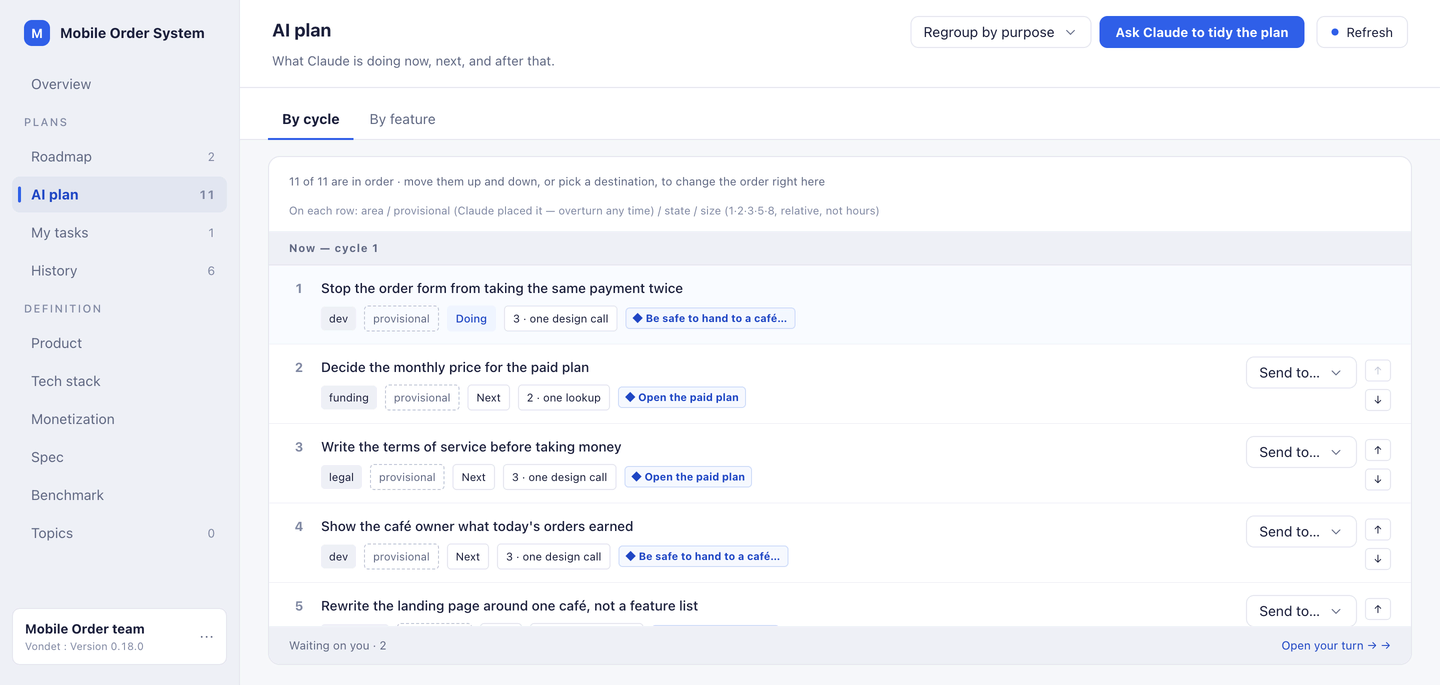
Now, next, and after that — in one order you can change.
The AI's plan arrives as cycles, not a new document each time. Move one up or down and the order changes on the spot.
AT A GLANCE
Open it, and the whole picture is right there.
Finished and remaining, estimates vs. real time, what's in progress, the split by category. Catch up here whenever you come back.
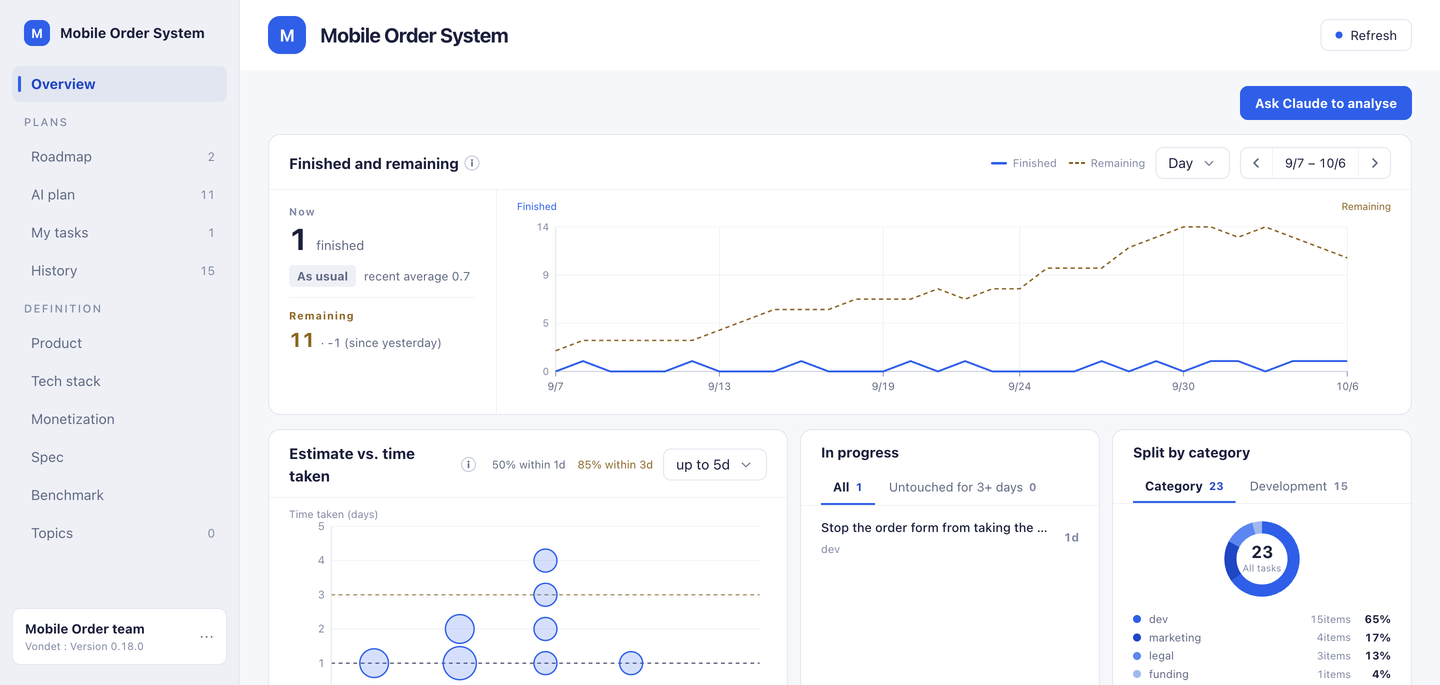
Screens are examples. The board in them belongs to one person building a mobile ordering system.
WHEN IT MATTERS
When the plan stays one, three things go your way.
Away a while? Pick up where it was.
However long you're away, the plan is one. The next AI reads the same board and just continues.
Overturn the AI's call, reasons and all.
Every call carries its reasoning and what would reverse it. Disagree, and a word rewrites it. The earlier call stays on record.
No two sessions collide.
A later you — or another session's AI — reads the same single plan. No colliding behind each other's backs.
Questions
- Does it work with anything other than Claude?
- Claude is the only one we have verified so far. The connection uses MCP, an open method, so other assistants may well work — we have not checked.
- Does it read my code?
- No. It never touches anything on your machine. What is on the board is what the AI wrote there, plus whatever you change yourself — titles, reasoning, conditions, and links you allowed.
- Can I take my data out?
- Yes. From account settings you can export the whole board as JSON in one click, on the free plan too. The contents are yours and we do not intend to lock them in.
Your AI keeps the plan, so you don't have to.
Connect your AI. From your next conversation, it starts landing on the board.